Your whole day,
in one brief.

Daybrief reads your calendar, email, and Slack and writes you a single, prioritized morning brief — a native macOS menu-bar app that does the thinking with an LLM you bring yourself, and keeps every signal on your Mac.

Fri 17 Jun  7:02
The Wednesday Brief · 17 Jun
17 Jun 20267.02 AM
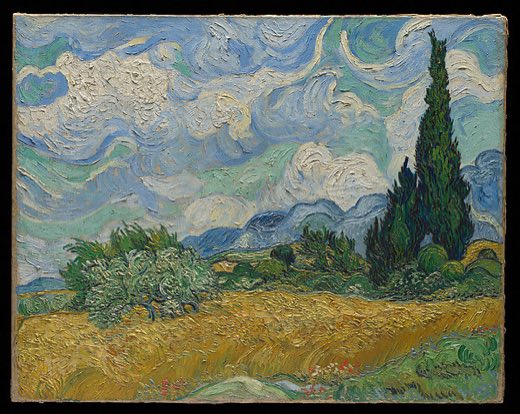
Wheat Field with Cypresses by Vincent van Gogh
TheWednesday
Brief

A lighter morning. One deadline lands at noon, two replies are waiting, and your 2 o’clock deserves ten minutes of prep.

First thing
Reply to Yassir before the noon handoff

He’s blocked on the onboarding copy — two lines unblocks the release.

Let’s do it →
Filed 7:02 · 41 signals read, 6 surfaced · Calendar · Gmail · Slack

Live preview · simplified

Why we built it.

A normal morning means three tabs before coffee — the calendar, the inbox, and a wall of unread Slack — each one asking you to assemble the day yourself. We didn't want another dashboard with more widgets to scan. We wanted the opposite: for something to have already read all of it and handed us the short version.

So Daybrief reads your calendar, email, and Slack and writes one brief — prioritized, in plain language, the way a good morning paper reads. It runs natively on macOS, lives in your menu bar, and does the thinking with an LLM you bring yourself. Your day, already triaged, before you've opened a single tab.

A brief should read like a morning paper — not a dashboard you have to decode.

What's inside.

01One brief from all your tools.

Daybrief pulls every signal worth knowing — calendar events, unread mail, Slack mentions — and an LLM distills the noise into a handful of things that actually matter today. Dozens of inputs in, one short read out.

Reading your morning·0 signals
Google Calendar0 events
Gmail0 unread
Slack0 mentions
One brief6 surfaced

02Editorial, not a dashboard.

Most productivity tools hand you a grid of widgets and make you do the reading. Daybrief is written like a morning paper instead: a masthead, a public-domain painting chosen to match the day's mood, an italic lede, and one prioritized action with the context to act on it.

It only ever drafts — a calm, literary summary you skim in thirty seconds, not a queue that nags you.

03Local-first, and private by design.

Your signals never touch our servers. They're stored encrypted on your Mac and the brief is assembled locally — the only thing that leaves the machine is the text sent to the model you point it at, under your own key. You bring the LLM; we never sit in the middle of your inbox.

Where your data lives
Your Mac
Calendar · Gmail · Slacksignals
Encrypted store · SQLCipher + Keychain
Your LLM— your key, your model

Nothing leaves your Mac except the text sent to the model you choose.

04Lives in your menu bar.

It's a real native macOS app, not a web tab pretending to be one. The brief is one click away in the menu bar, and a desktop glance widget — a read-only peek that taps through to the full brief — is on the way.

Under the hood.

Six decisions that make it fast, private, and yours.

  • Native Swift / SwiftUIBuilt for macOS as a true menu-bar app — no Electron, no web wrapper. It launches instantly and feels like part of the system.
  • Pure-Swift connectorsCalendar, Gmail, and Slack each implement one Connector protocol, so adding a new source is a self-contained module, not a rewrite.
  • Encrypted local storeSignals persist in a GRDB + SQLCipher database on your Mac, with the encryption key in the Keychain. The brief is assembled locally.
  • Bring your own LLMSynthesis runs through an API key you supply. Daybrief never proxies your data through us — you pick the model and own the bill.
  • Bring your own OAuthGoogle and Slack connect through your own app credentials, so access is yours to grant and revoke — no shared client in the middle.
  • Open source (AGPL-3.0)The whole app is auditable. If you won't trust a brief tool with your inbox, you can read exactly what it does.
1
brief, every morning
3
sources in v0
BYO
LLM — your key, your model
macOS
native menu-bar app

A few questions.

Anything else: hello@practa.ai.

It stays on your Mac. Signals are pulled from your connected tools into an encrypted local store (GRDB + SQLCipher), with tokens held in the Keychain. The only thing that ever leaves your machine is the text sent to the language model you choose — under your own API key.

Whichever you bring. Daybrief is model-agnostic — point it at OpenRouter or any provider you like and paste your own key. There's no Practa-hosted model in the loop and no per-seat AI fee; you choose the model and own the bill.

Yes — a native macOS app that lives in the menu bar and opens your brief in a click, with a desktop glance widget on the way. No browser tab, no web dashboard, no account to sign up for.

Start your day already briefed.

Daybrief is the kind of native, AI-first tool we build under the standard Practa subscription. Tell us the busywork that eats your morning — we'll build the thing that does it for you.